Week 3 - Self-Service EC2 Fleet Patching with AWS SSM
Week 3: From Invisible to Fully Managed — Self-Service EC2 Fleet Patching with AWS SSM
Every enterprise inherits a fleet, not a blank slate. Servers were launched months ago by different teams — no consistent tagging, unknown patch state, no baseline assigned. You can't patch what you can't identify.
Week 3 of my 52-week AWS lab solves both problems: a self-service platform where an ops engineer submits a ServiceNow ticket to either onboard an unmanaged EC2 instance into the managed fleet, or trigger a patch run across the entire environment. The ticket closes itself with a full compliance report. Zero SSH. Zero manual steps.
The Problem This Solves
Architecture
The Demo — Watch It Work
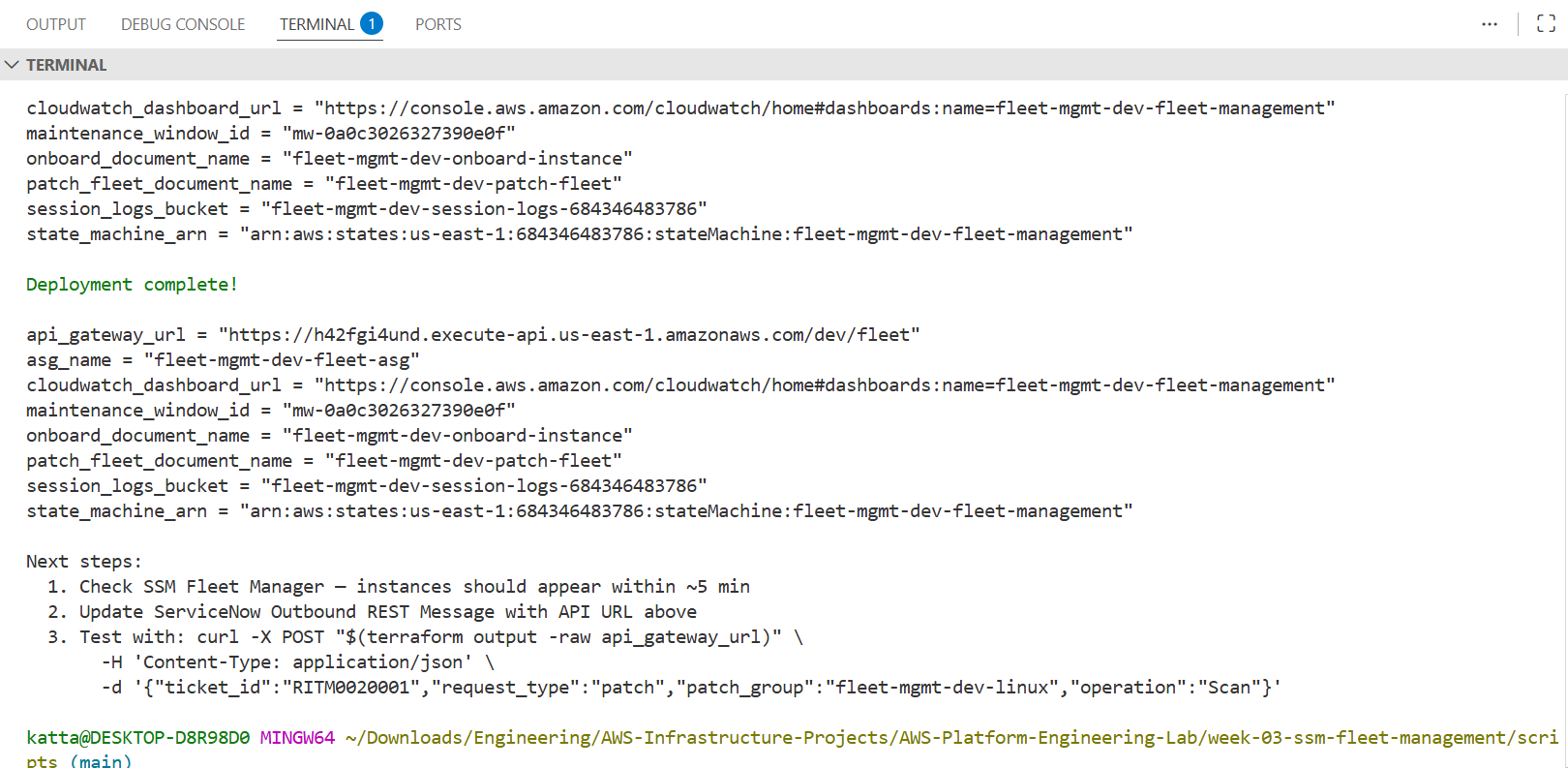
Step 1 — Deploy: 80+ Resources, One Command
Terraform deploys the entire platform: VPC with SSM interface endpoints (no NAT gateway), EC2 fleet in private subnets, 4 Lambda functions, Step Functions state machine, patch baselines for Amazon Linux 2023 and Windows Server, maintenance window, and API Gateway.
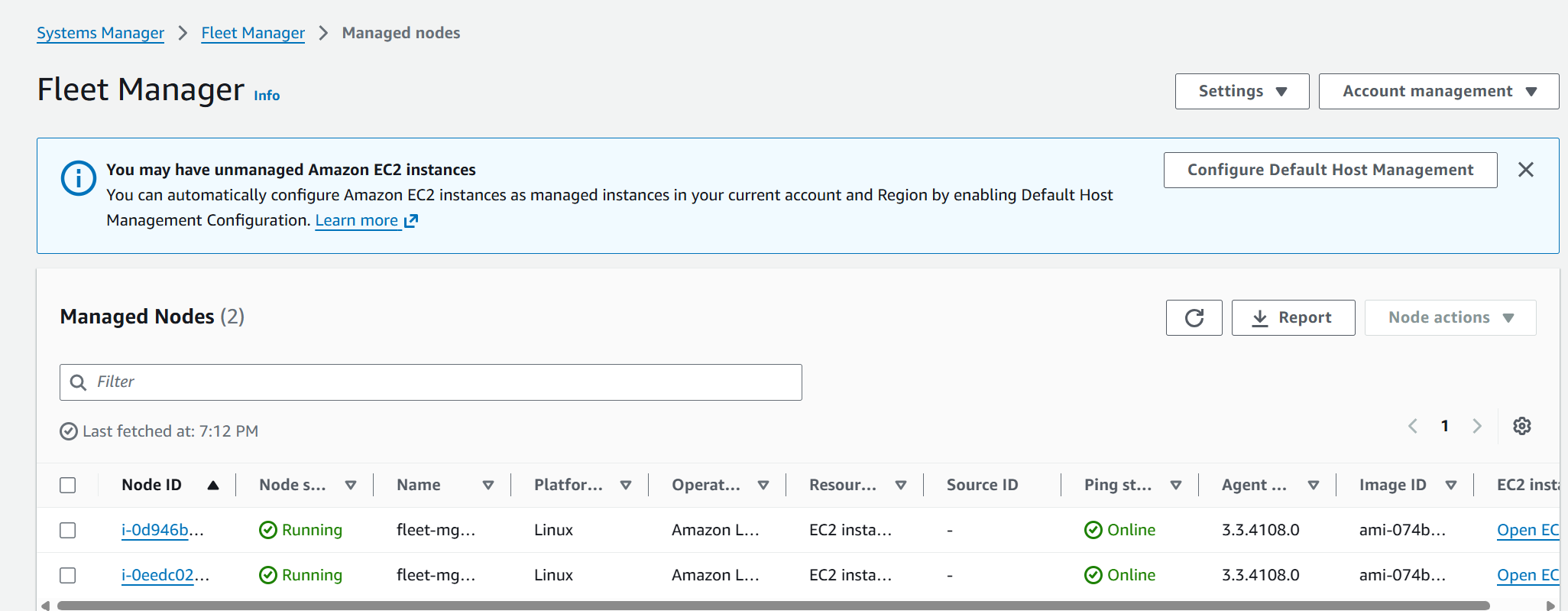
Step 2 — Fleet Manager: Instances Online
Within 5 minutes of launch, both ASG instances register with SSM automatically — no configuration needed. Fleet Manager gives a real-time view: online status, OS type, SSM agent version, last ping time. No SSH required to confirm they're healthy.
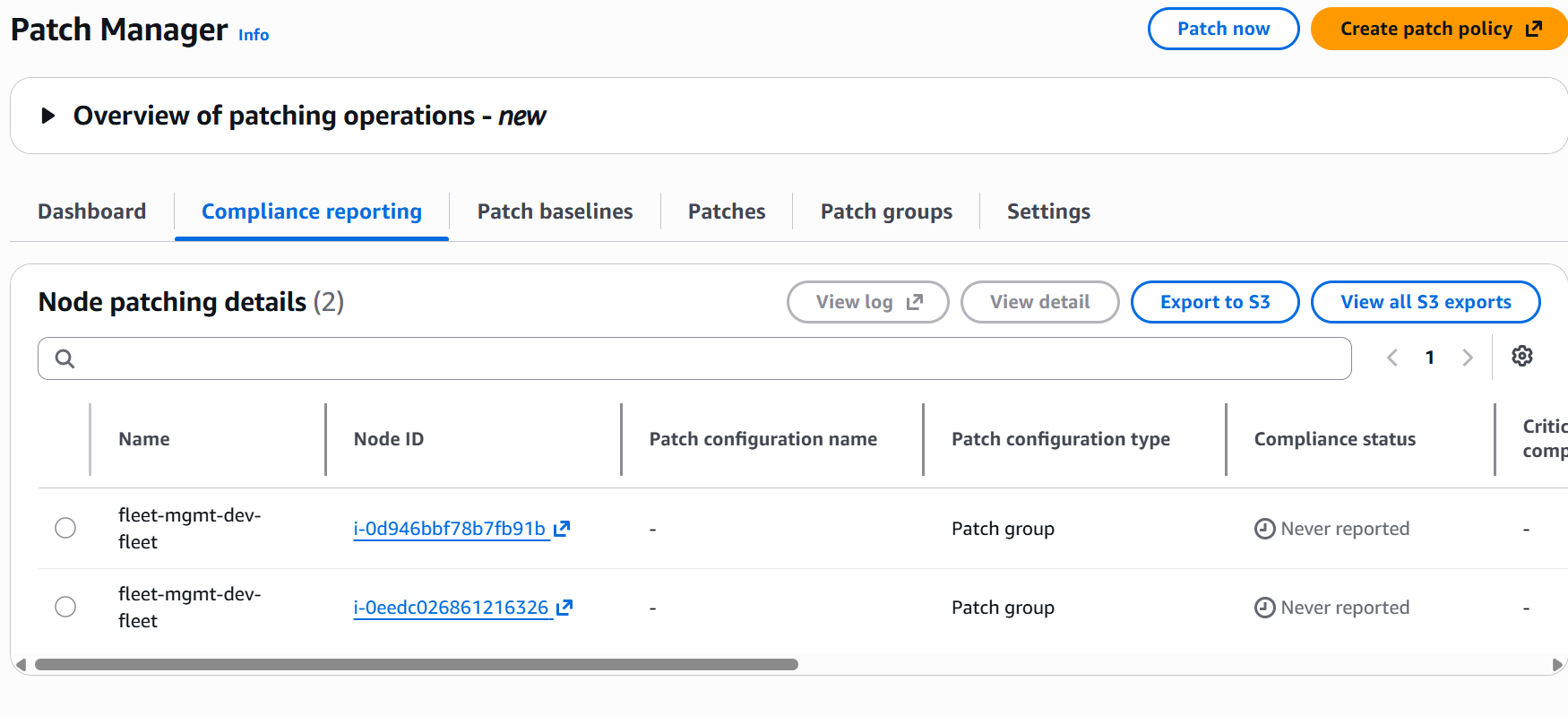
Step 3 — Patch Manager: The Before State
Fresh instances — no scan has run yet. This is the starting point the platform is designed to fix.
Step 4 — Simulate ServiceNow: Trigger a Patch Scan
A single curl command simulates what a ServiceNow business rule does — signs the payload with HMAC, posts to API Gateway, and starts a Step Functions execution.
BODY='{"ticket_id":"RITM0030001","request_type":"patch",
      "patch_group":"fleet-mgmt-dev-linux","operation":"Scan",
      "team":"platform-engineering","requested_by":"jay.katta"}'
SIG="sha256=$(echo -n "$BODY" | openssl dgst -sha256 -hmac "$SECRET" | awk '{print $2}')"

curl -X POST "$API_URL" \
  -H "Content-Type: application/json" \
  -H "x-servicenow-signature: $SIG" \
  -d "$BODY"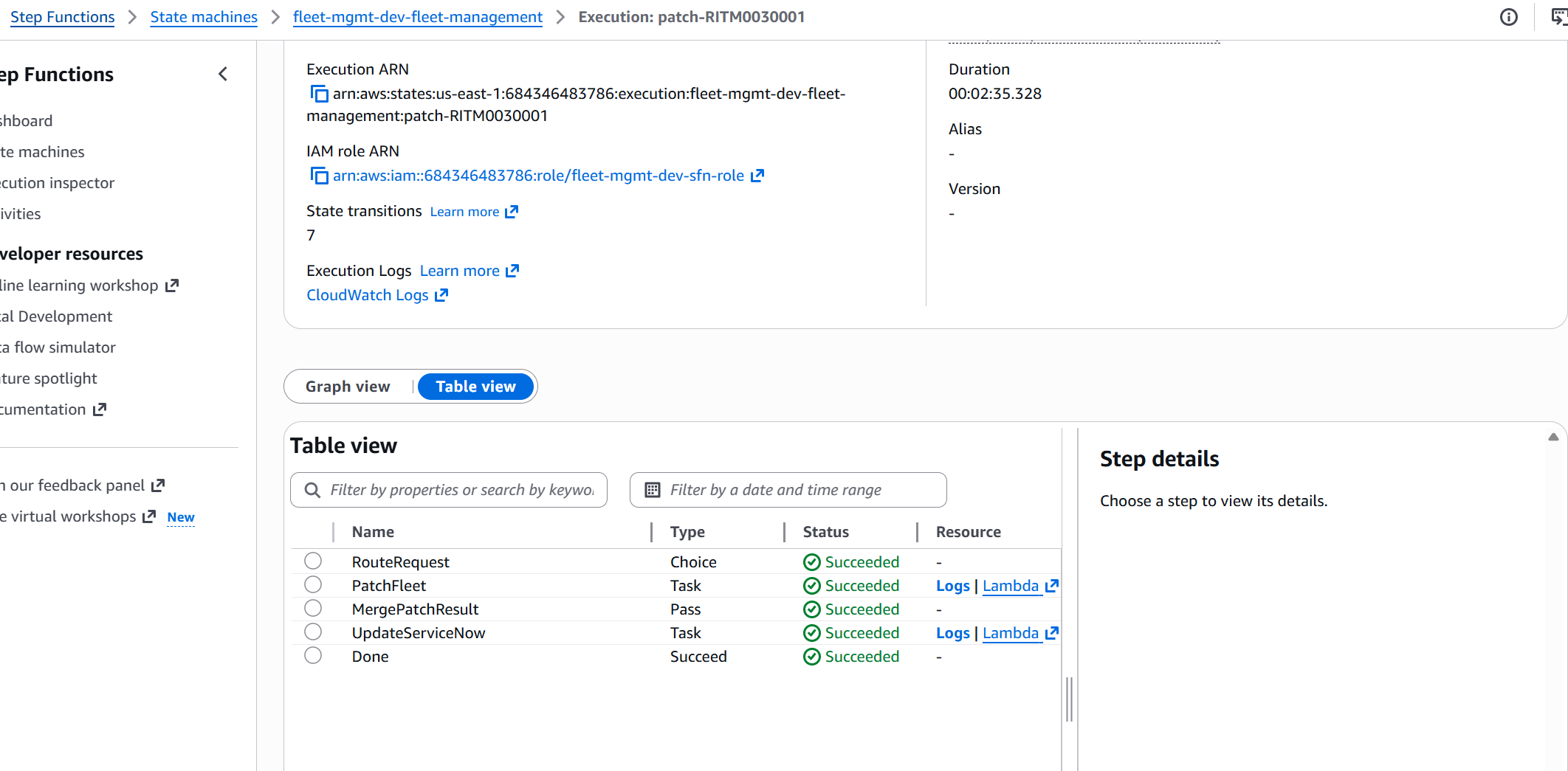
The Onboard Story — Making an Invisible Instance Visible
This is the most important feature of Week 3. I created an EC2 instance manually — the way most instances in a real enterprise already exist. No PatchGroup tag, no ManagedBy tag. Completely invisible to Patch Manager from a management perspective.
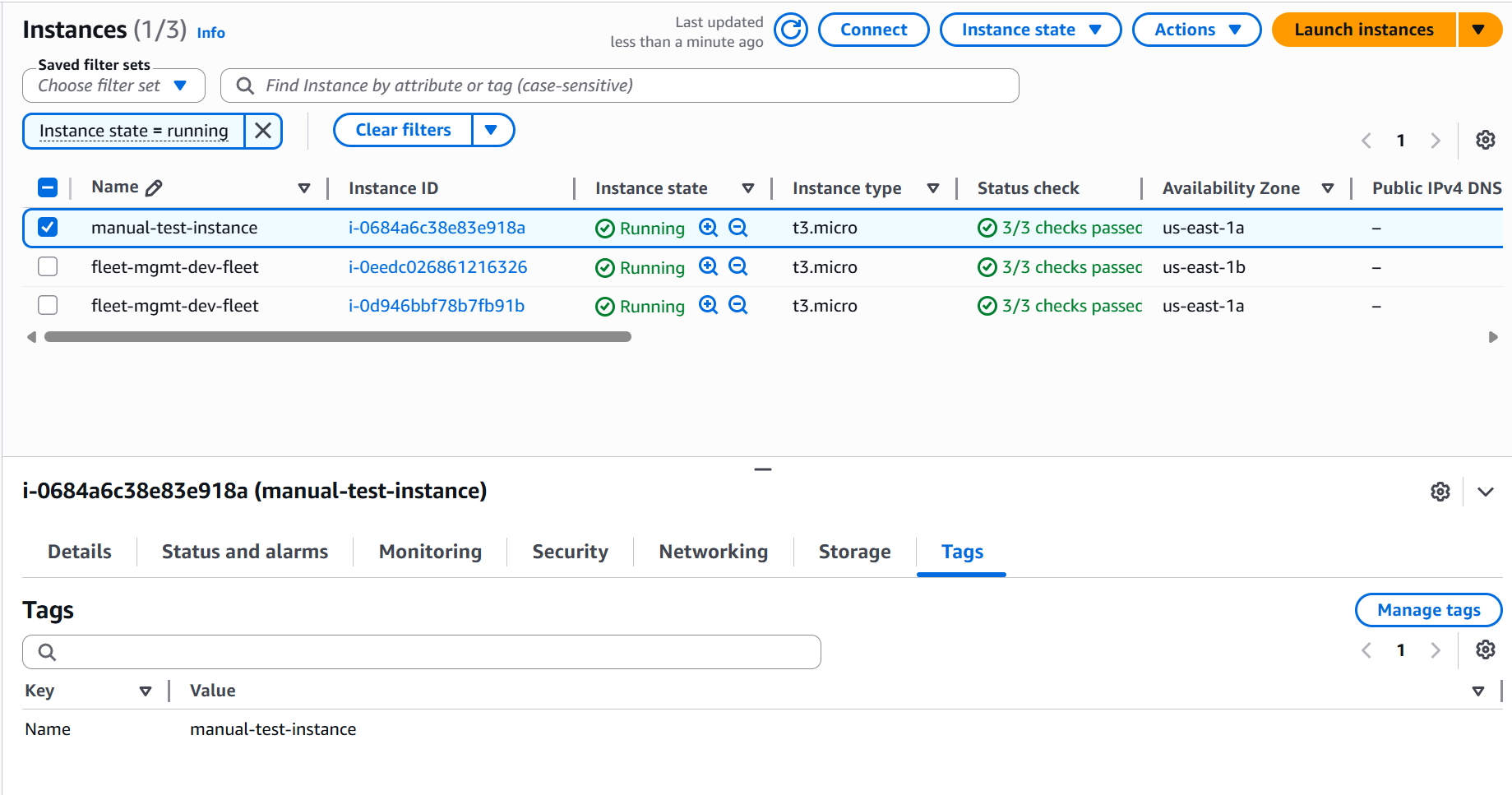
In Patch Manager, the instance appears but has no patch baseline assigned — Patch configuration name shows "-". It's visible but unmanaged.
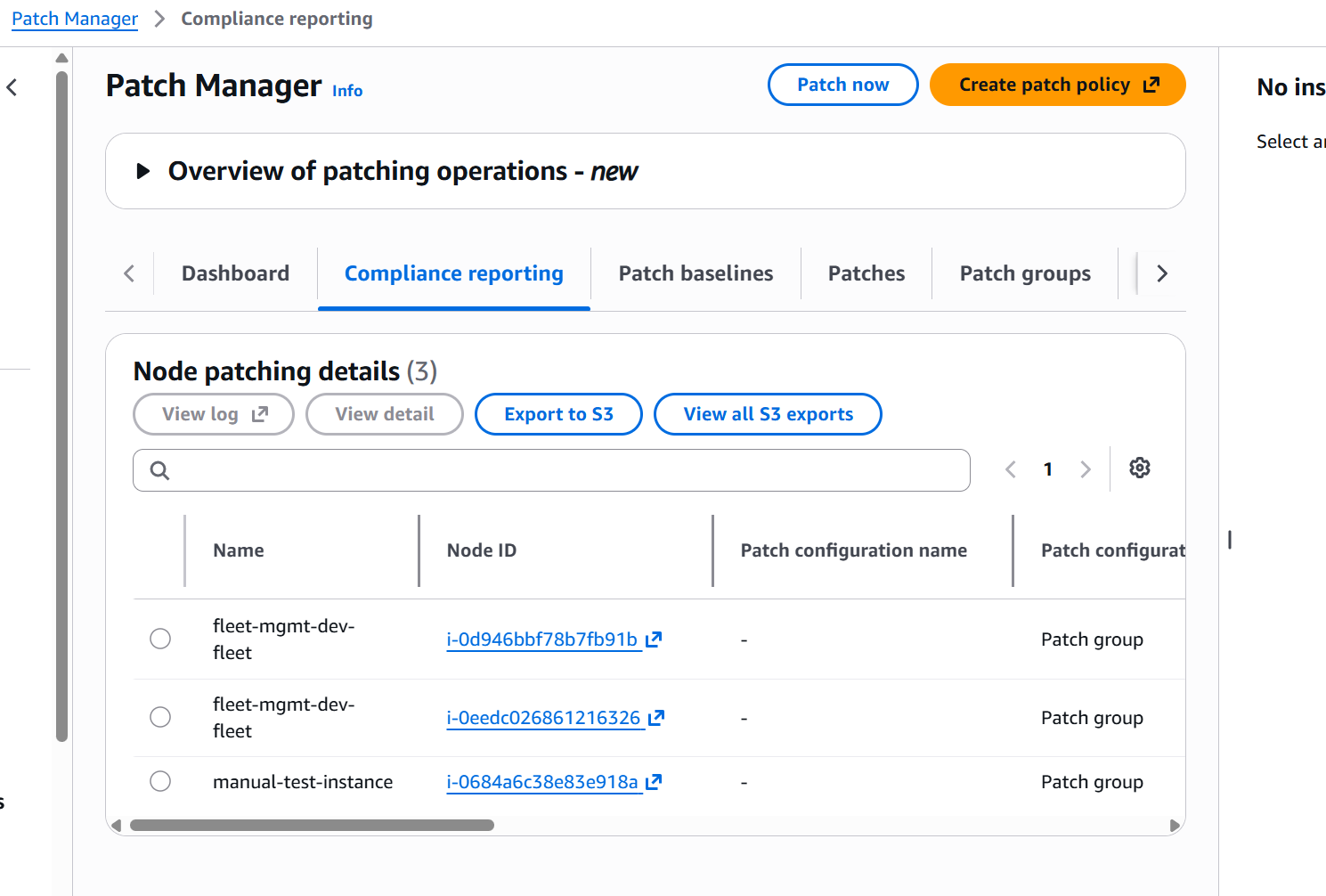
One onboard ticket changes everything. The SSM Automation runbook runs 5 steps:
- Wait for SSM agent to come online
- Apply tags —
PatchGroup=fleet-mgmt-dev-linux,ManagedBy=fleet-mgmt-dev,OnboardedAt=timestamp - Run baseline config via Run Command (yum update, confirm SSM agent running)
- Run initial patch scan to establish compliance baseline
- Collect compliance summary and return results
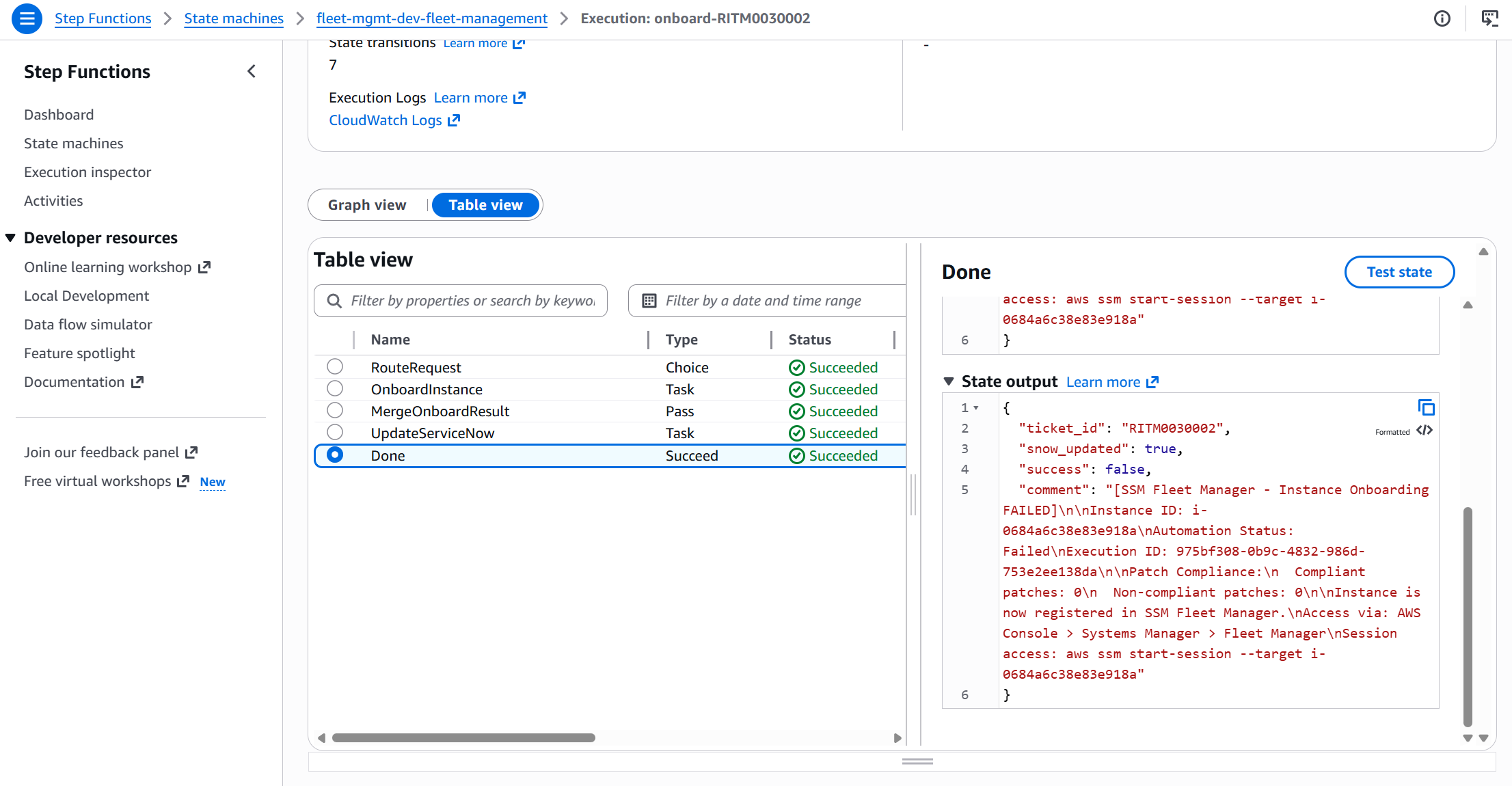
After onboard — all three tags applied automatically. The instance is now a first-class member of the managed fleet.
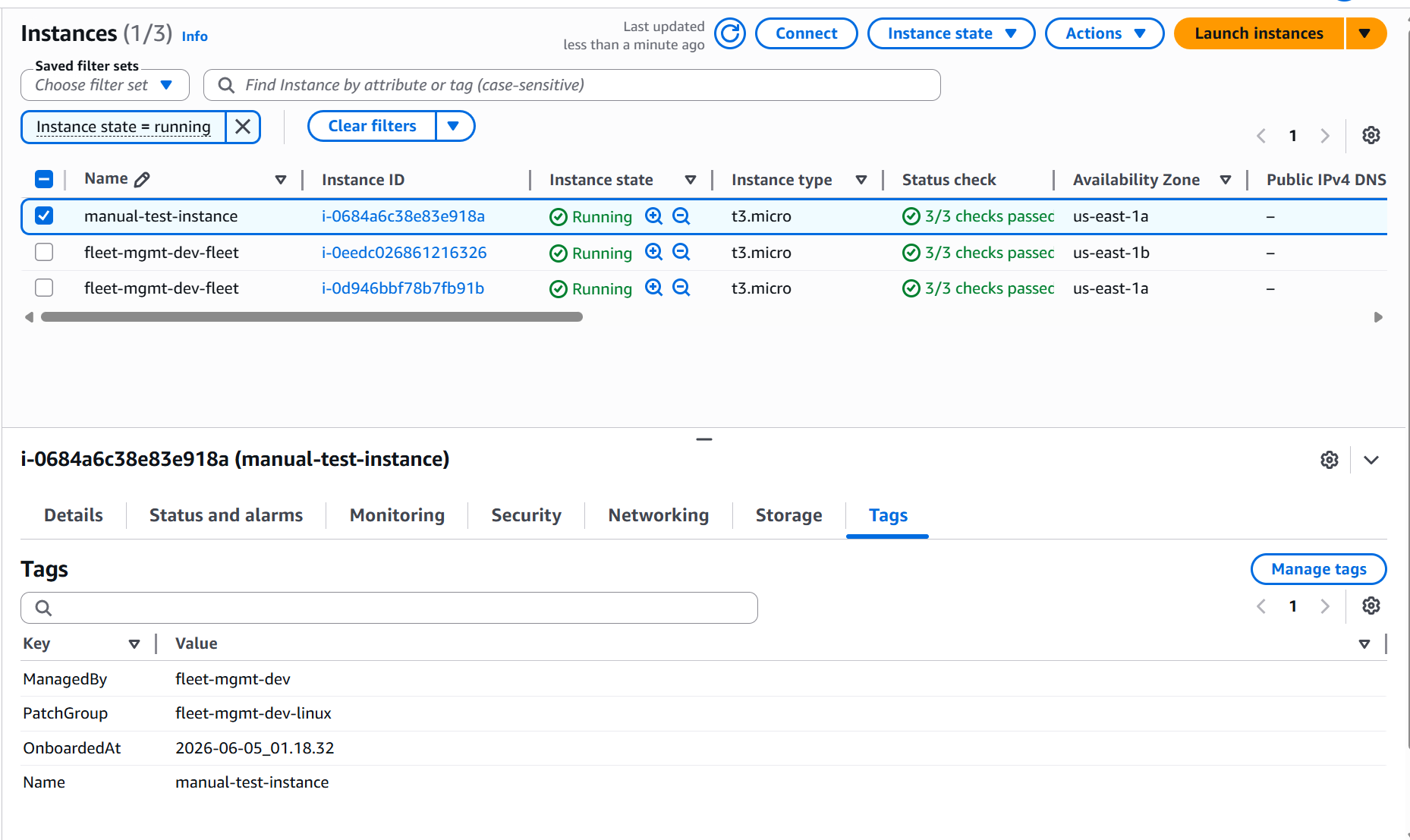
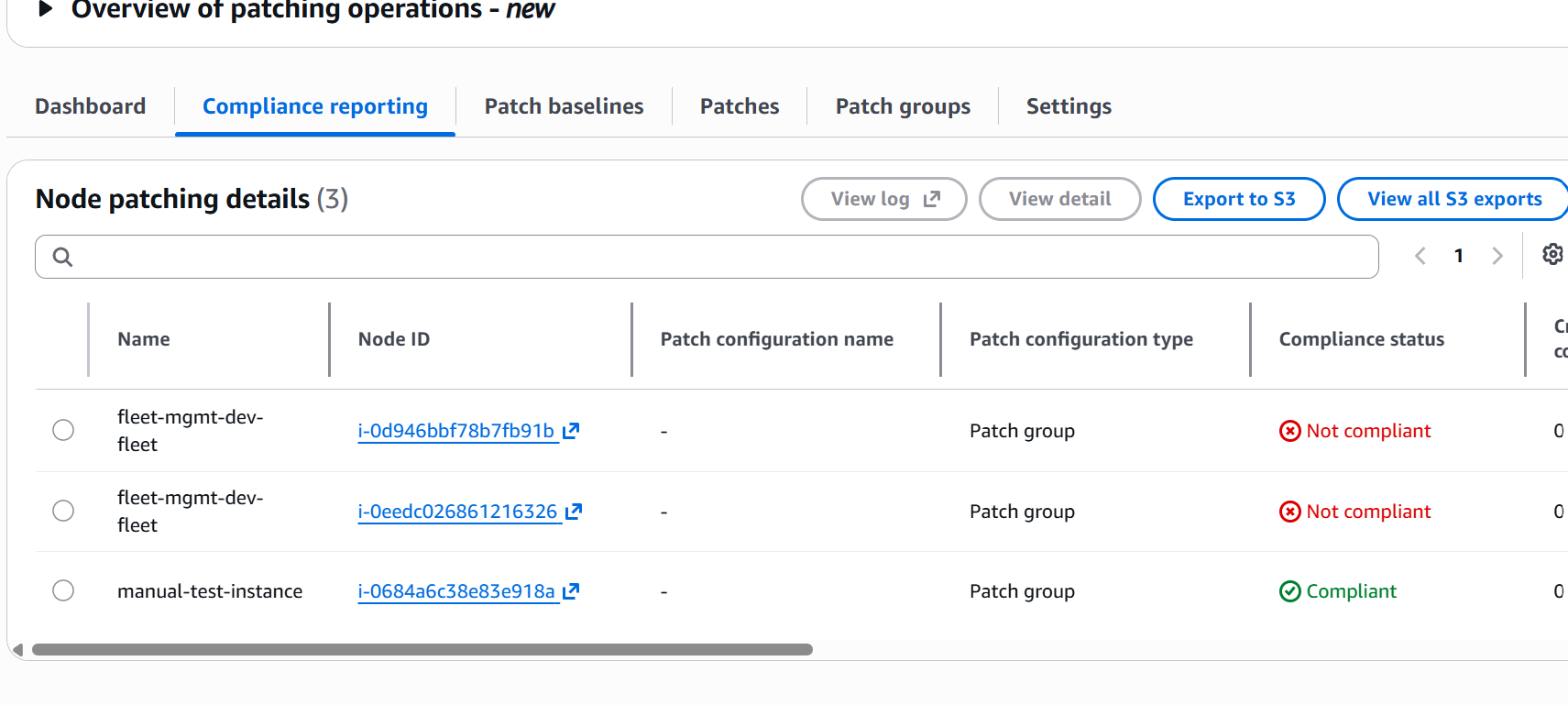
Patching All Three Instances in One Operation
With the manual instance onboarded, all three share PatchGroup=fleet-mgmt-dev-linux. A single Install request patches all of them simultaneously — the platform can't tell which instances were ASG-launched and which was manually created.
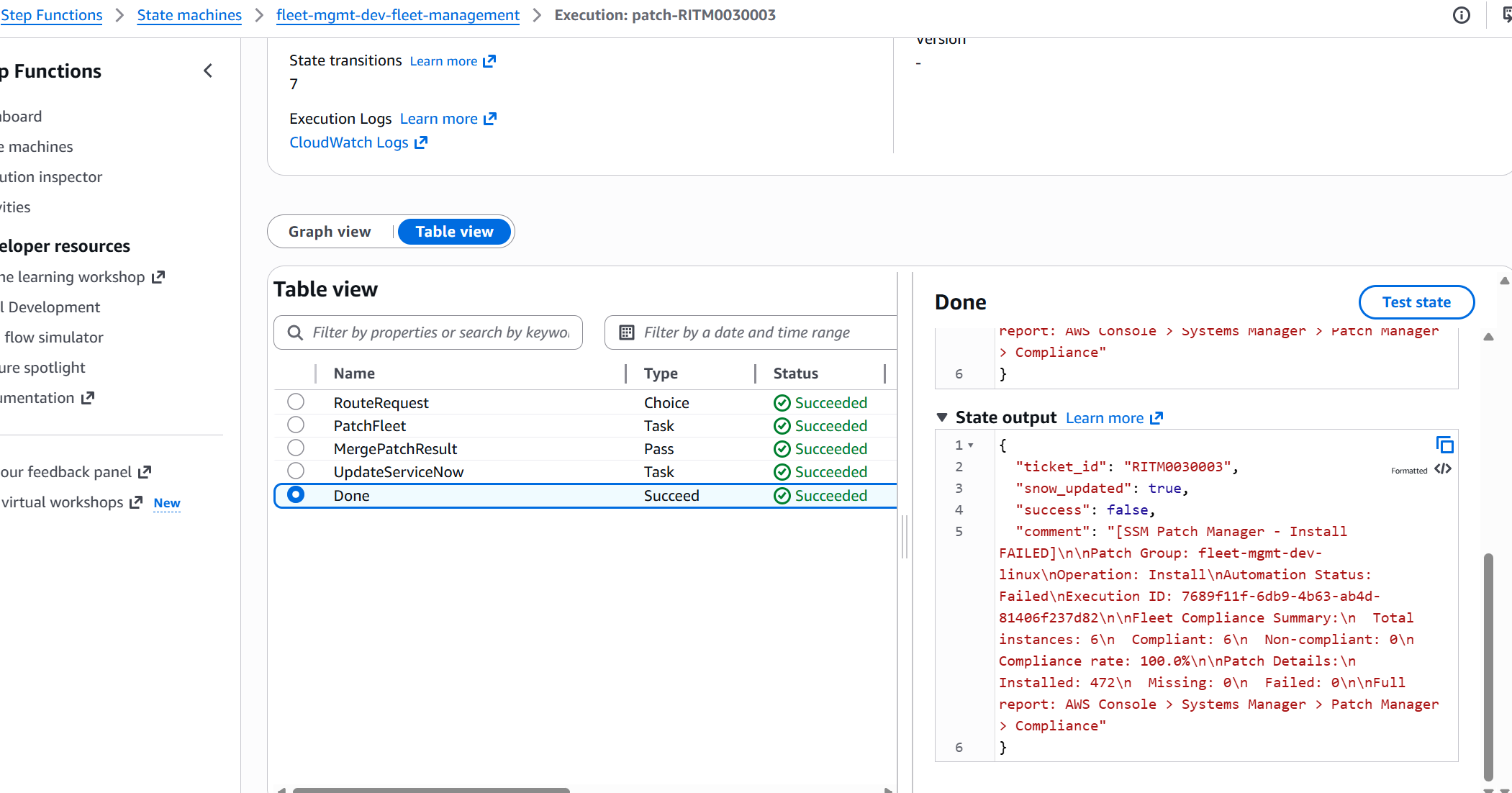
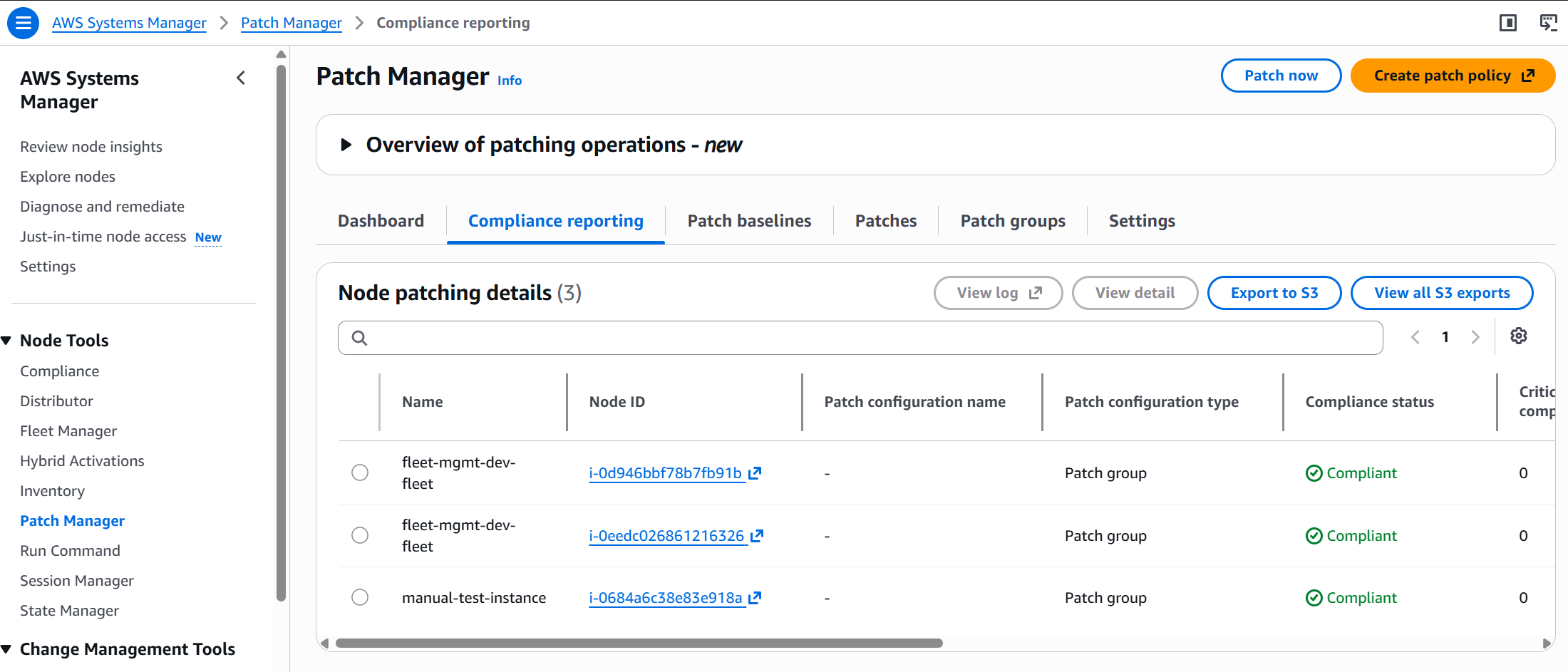
Result: all 3 instances fully patched. 472 patches installed across the fleet. 0 missing. 0 failed.
Full Audit Trail + CloudWatch Dashboard
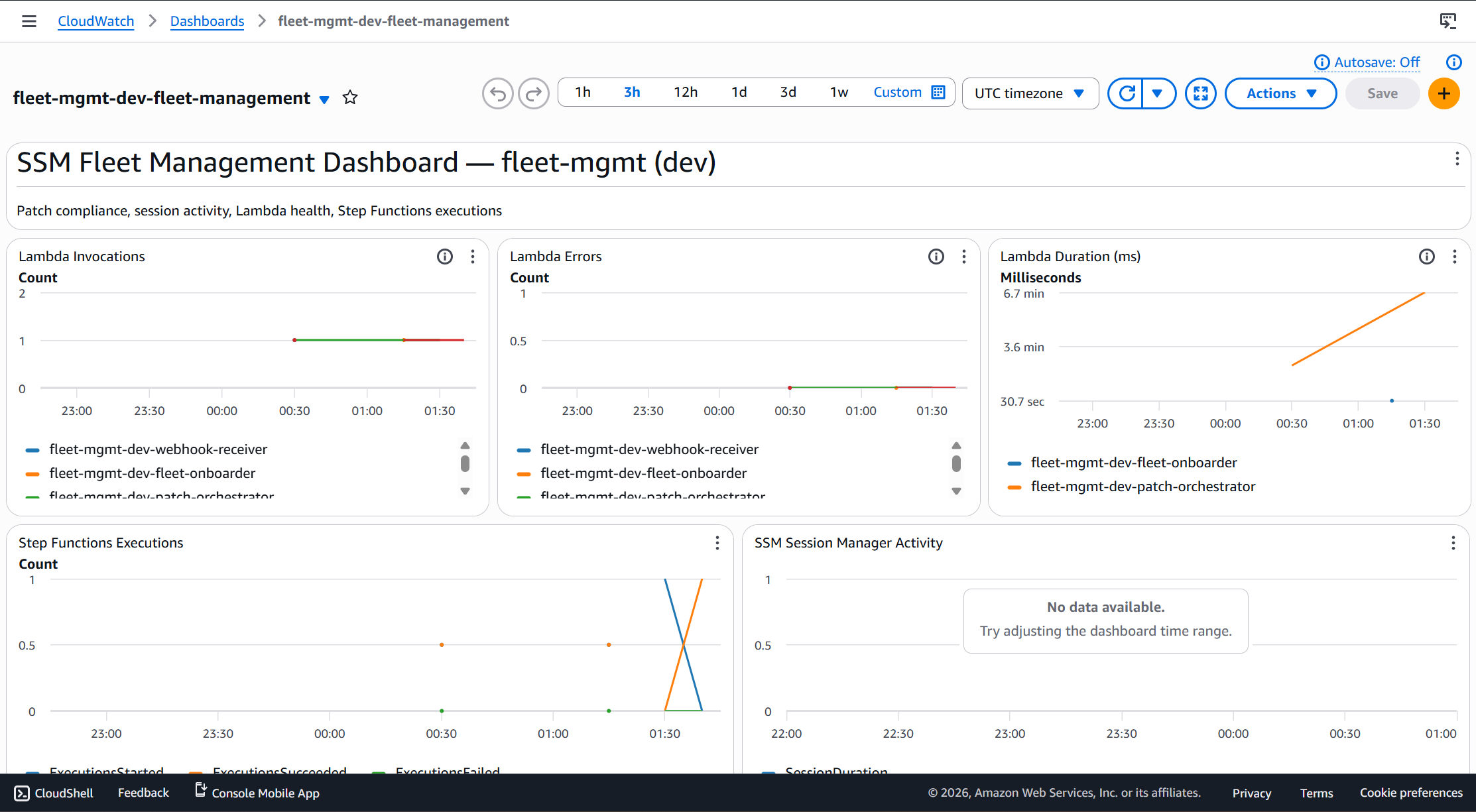
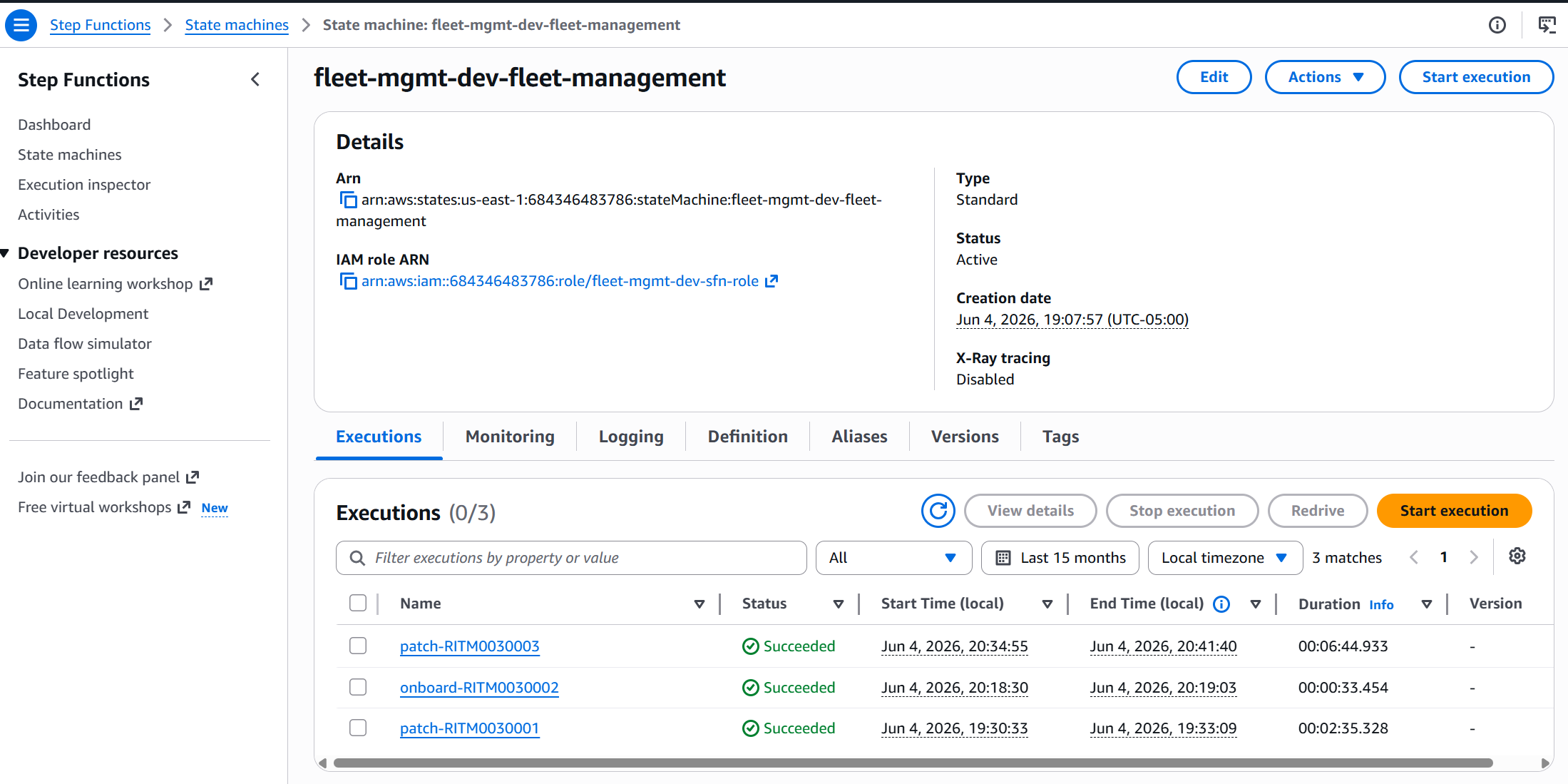
Every operation is traceable. Step Functions records every execution with the ticket ID, start time, and result. In production this maps directly to a ServiceNow RITM — you can look up any patch run and know exactly who requested it, when it ran, and what the outcome was.
ServiceNow Integration — End to End
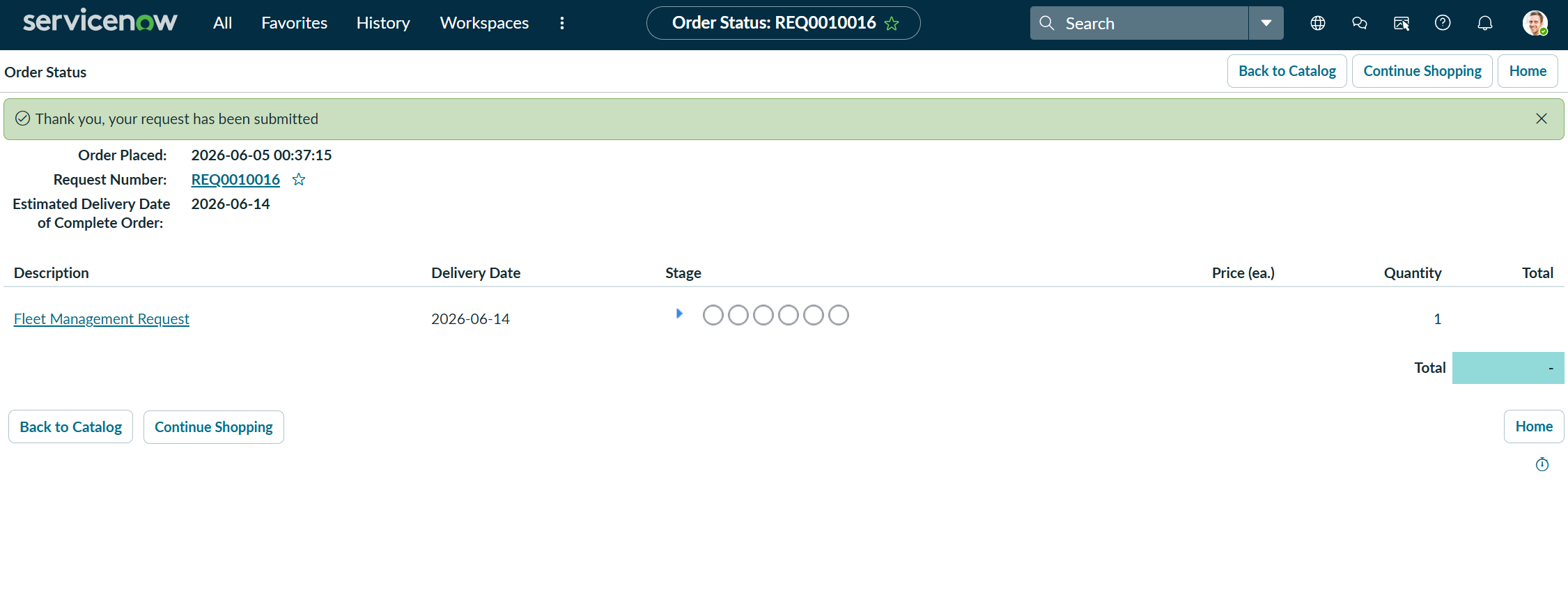
When fully wired, a user never touches AWS. They open the Service Catalog, fill in a form, and submit. The entire flow is invisible to them.
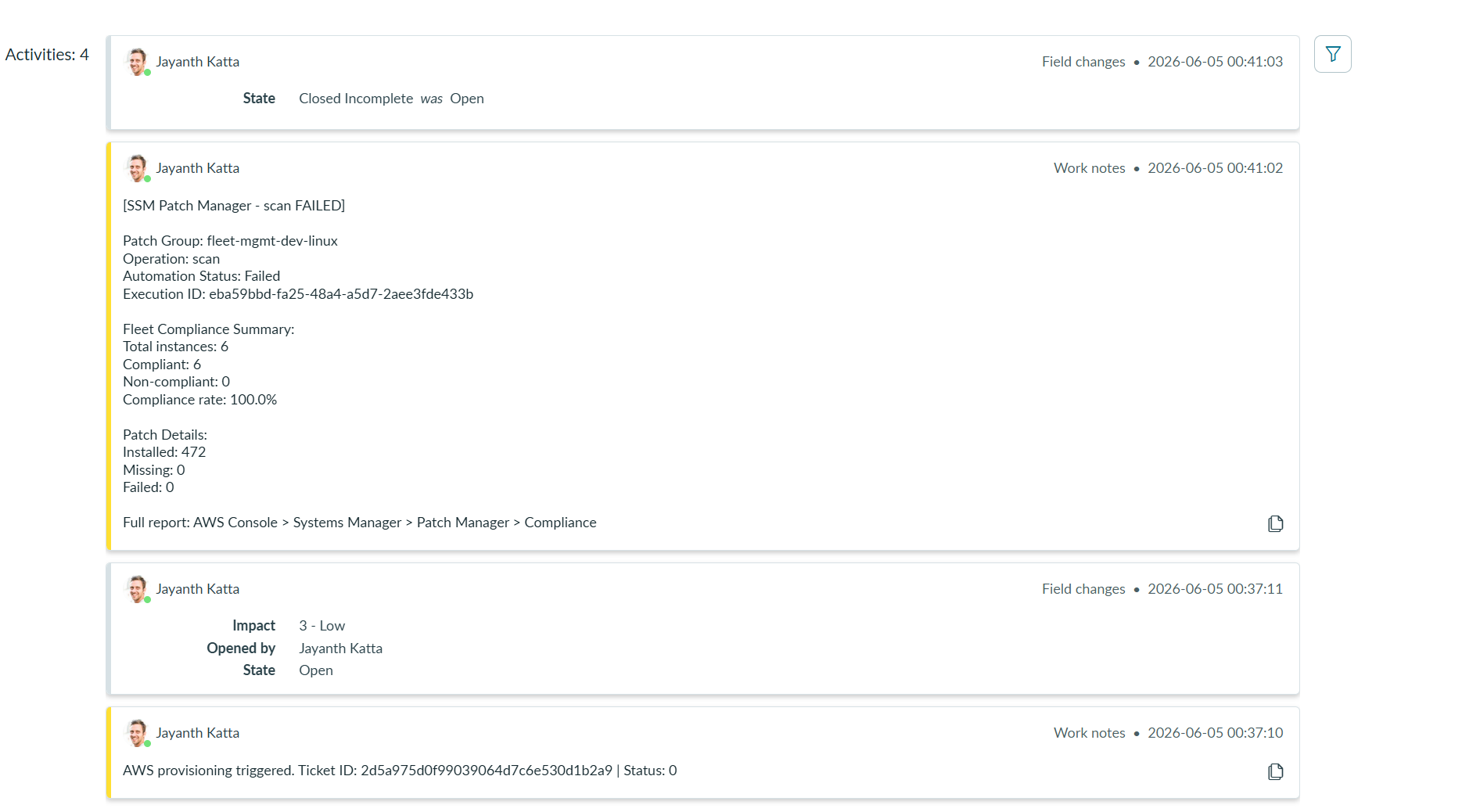
The status_updater Lambda calls back to ServiceNow and closes the ticket with a full compliance report — instance count, compliant/non-compliant, patch details, link to Patch Manager console.
No NAT Gateway — VPC Endpoints Only
This is the enterprise pattern. NAT gateways cost ~$32/month and route all SSM traffic through the public internet. SSM is an AWS service — there's no reason for that traffic to leave the AWS network.
| Endpoint | Purpose | Type |
|---|---|---|
ssm | Main SSM API — commands, parameters, registrations | Interface |
ssmmessages | Session Manager WebSocket channel | Interface |
ec2messages | Run Command delivery channel | Interface |
logs | CloudWatch Logs for Lambda and SSM agent | Interface |
s3 | Patch downloads and log uploads | Gateway |
aws_vpc_endpoint_service data source to filter to only supported AZs before creating subnets — otherwise Terraform fails with a cryptic AZ error.Bugs That Taught Me Things
AWS rejects any parameter path starting with /ssm (case-insensitive). Project was named ssm-fleet creating paths like /ssm-fleet/dev/servicenow/password.
FIX Renamed project to fleet-mgmt. Never use ssm as a project name prefix.
Some us-east-1 AZs (like us-east-1e) don't support SSM interface endpoints. slice(AZs, 0, 2) was picking an unsupported AZ — Terraform failed with a cryptic error.
FIX Added aws_vpc_endpoint_service data source to filter only supported AZs before subnet creation.
CommandId is reserved in SSM Automation output names. Custom output in the patch-fleet document used that name and the document validation failed.
FIX Renamed custom output to PatchCommandId.
AL2023 AMI snapshot requires minimum 30GB. Launch template specified 20GB. Instances failed to launch.
FIX Changed to 30GB gp2 volume. Also switched from gp3 — not supported in all us-east-1 AZs.
ServiceNow sent "scan" (lowercase) but SSM Automation only accepts "Scan" or "Install" with capital first letter. Caused InvalidAutomationExecutionParametersException.
FIX Added .capitalize() in the patch_orchestrator Lambda: operation = event.get("operation", "Scan").capitalize()
Cost Breakdown
| Resource | Cost/Month (Running) | Cost (Destroyed) |
|---|---|---|
| EC2 t3.micro x2 | ~$17 | $0 |
| VPC endpoints x4 (interface) | ~$29 | $0 |
| CloudWatch | ~$2 | $0 |
| SSM (core features) | $0 | $0 |
| Lambda (minimal traffic) | ~$0 | $0 |
| S3 session logs | ~$0.02 | $0 |
| Total | ~$48/month | $0 |
sh scripts/cleanup.sh when done for the day.Key Takeaways
SSM is a platform, not a tool. Seven distinct services — Fleet Manager, Patch Manager, Run Command, Session Manager, State Manager, Automation, Inventory — each solving a different operations problem. Most teams use one or two. Using all seven turns your EC2 fleet into a properly managed, audited, self-healing environment.
Tags are the source of truth for Patch Manager. No PatchGroup tag = no baseline = invisible to Patch Manager. The onboard workflow exists specifically to fix this for instances that predate your tagging strategy.
Session Manager eliminates SSH entirely. No port 22, no key pairs, no bastion hosts. Every session is logged to S3 and CloudWatch. For compliance-heavy environments this is not a nice-to-have — it's the only acceptable access pattern.
14 years as a DBA showed me what manual patching costs. An ops engineer patching 200 servers manually takes a full day — and produces no audit trail. This platform patches 200 servers in the same time it takes to patch 2, and every operation is traceable to a ticket ID and timestamp.
What's Next — Week 4
Week 3 automates patching. Week 4 answers the harder question: did it work across the entire estate?
Week 4 is a Fleet Intelligence Platform — using AWS Glue to crawl SSM inventory and patch data synced to S3, transform it with PySpark ETL, and make it queryable via Athena SQL. Instead of "2 instances compliant" you get: "Show me every instance that hasn't been patched in 30 days, sorted by severity."
All code available on GitHub: katta698/AWS-Platform-Engineering-Lab. Questions? Drop a comment below.