Week 2: Automating PostgreSQL Provisioning with ServiceNow and AWS
Week 2: I Built a Self-Service Database Platform — A Developer Gets a PostgreSQL Database in 12 Seconds
In my 14 years as a DBA, I've seen this scene play out hundreds of times. A developer raises a ticket: "Need a PostgreSQL database for my new service." The ticket sits in the queue. A DBA reviews it, provisions the database, sets up credentials, emails them back. Three days later. If you're lucky.
Week 2 of my 52-week AWS lab eliminates that process entirely. A developer fills out a ServiceNow catalog item — database name, team, purpose — clicks Order Now, and 12 seconds later the ticket closes itself with full connection details, auto-rotating credentials stored in AWS Secrets Manager, and an isolated PostgreSQL database on a shared Aurora Serverless v2 cluster.
Zero emails. Zero DBA involvement. Zero waiting.
Architecture
How It Works — The 6-Step Flow
Every provisioning request follows the same path from ticket to database:
- Developer submits ServiceNow catalog item — fills in Database Name, Team, Purpose, clicks Order Now. A RITM ticket is created in
sc_req_item. - Business Rule fires automatically on INSERT — server-side JavaScript calls the AWS Outbound REST Message with the ticket payload over HTTPS.
- API Gateway receives the POST — routes to the webhook_receiver Lambda which validates the HMAC signature and starts a Step Functions execution named
db-{db_name}-{ticket_id}. - Step Functions orchestrates two tasks — ProvisionDatabase → UpdateServiceNow → Done. 5 state transitions, error handling and retry built in.
- db_provisioner Lambda runs — fetches master credentials from Secrets Manager, connects to Aurora via pg8000, runs
CREATE DATABASE,CREATE USER,GRANT ALL PRIVILEGES, stores the tenant secret, enables 30-day auto-rotation. - status_updater Lambda closes the ticket — posts a work note to ServiceNow with writer host, reader host, port, username, secret name, AWS CLI retrieval command, rotation policy, and monitoring links. Ticket → Closed Complete.
The Demo — Watch It Work
Deploy — 67 Resources, One Command
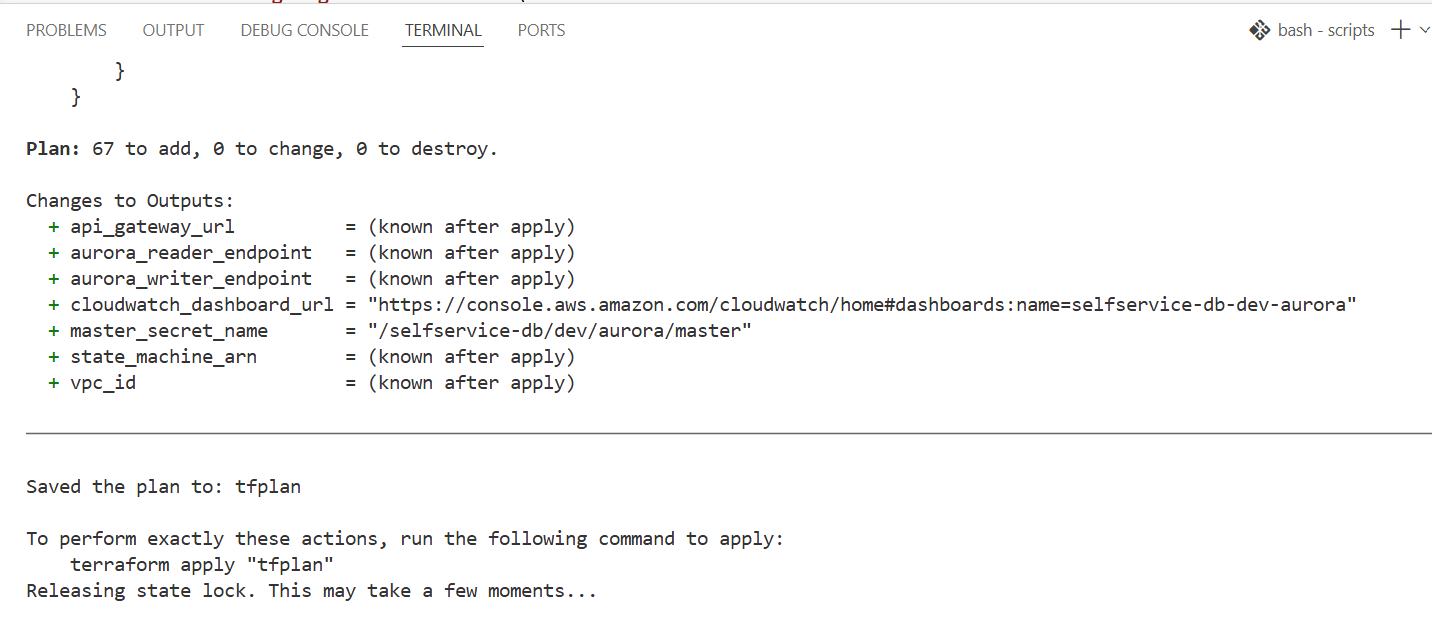
Terraform plan shows 67 resources to add. The deploy script runs pre-flight checks, deletes any orphaned CloudWatch log groups, then applies the plan. Aurora Serverless v2 takes ~10 minutes to fully warm up.
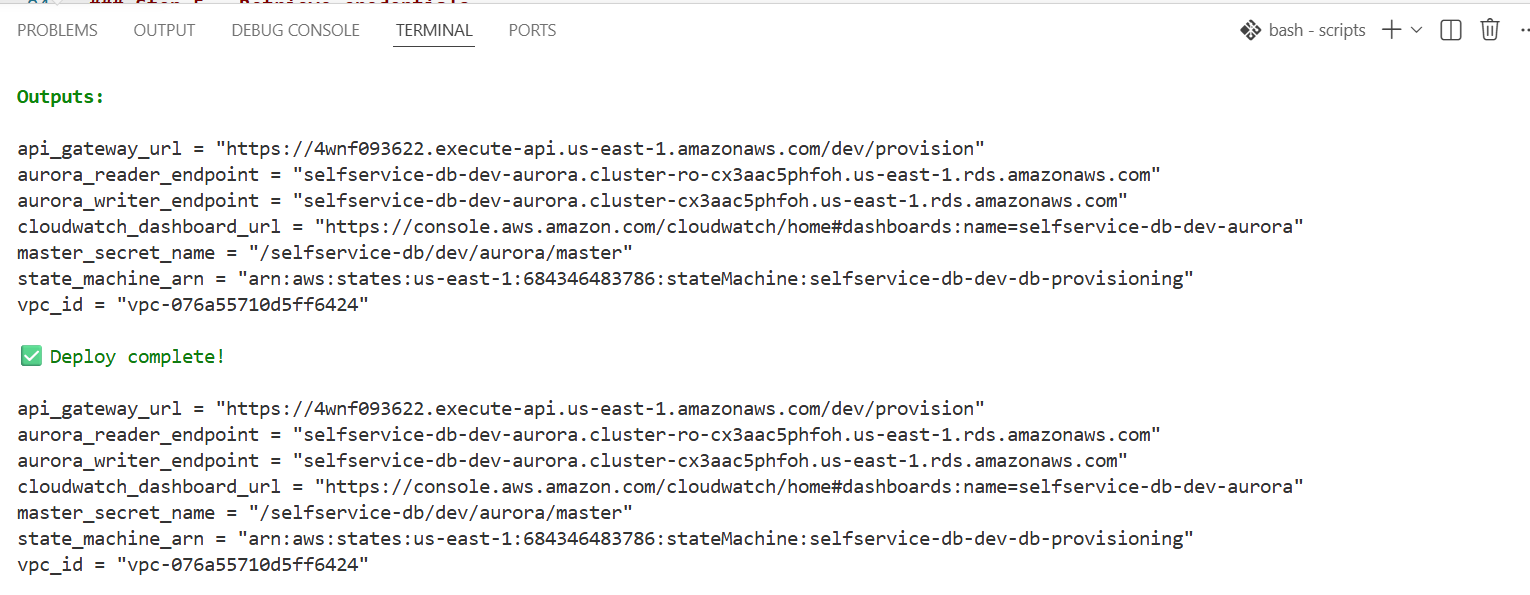
Terraform Outputs
All key values are captured as outputs: API Gateway URL, Aurora writer/reader endpoints, CloudWatch dashboard URL, state machine ARN, VPC ID.
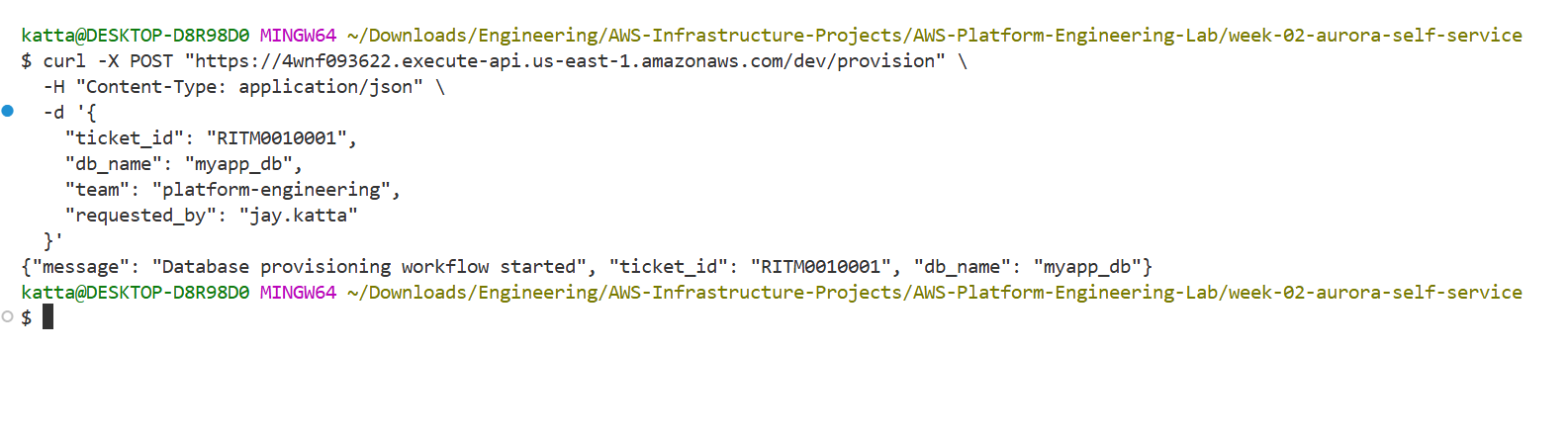
Manual curl Test First
Before wiring ServiceNow, I verified the full stack with a direct curl call. Ticket RITM0010001, database myapp_db. Instant response: workflow started.
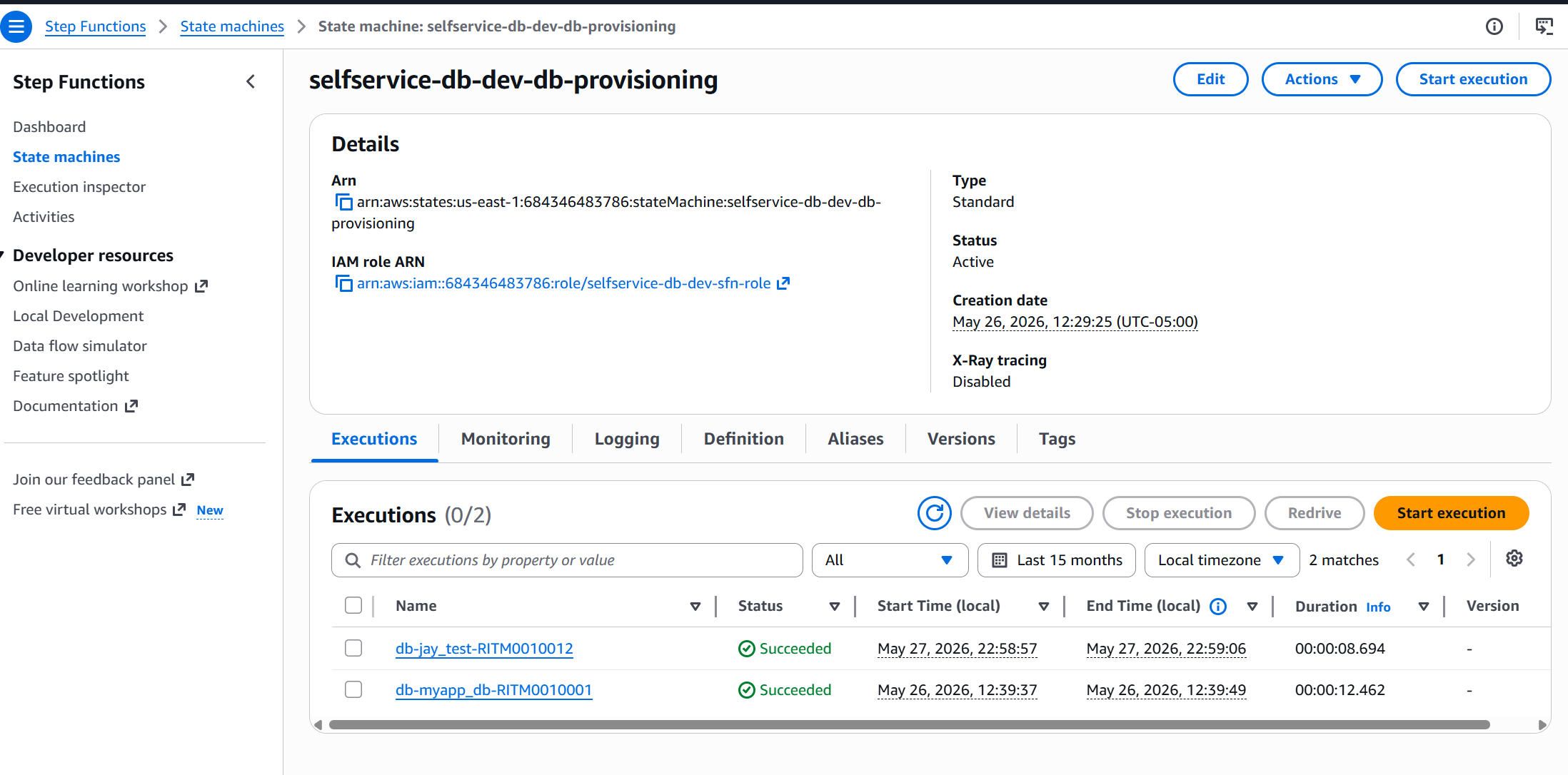
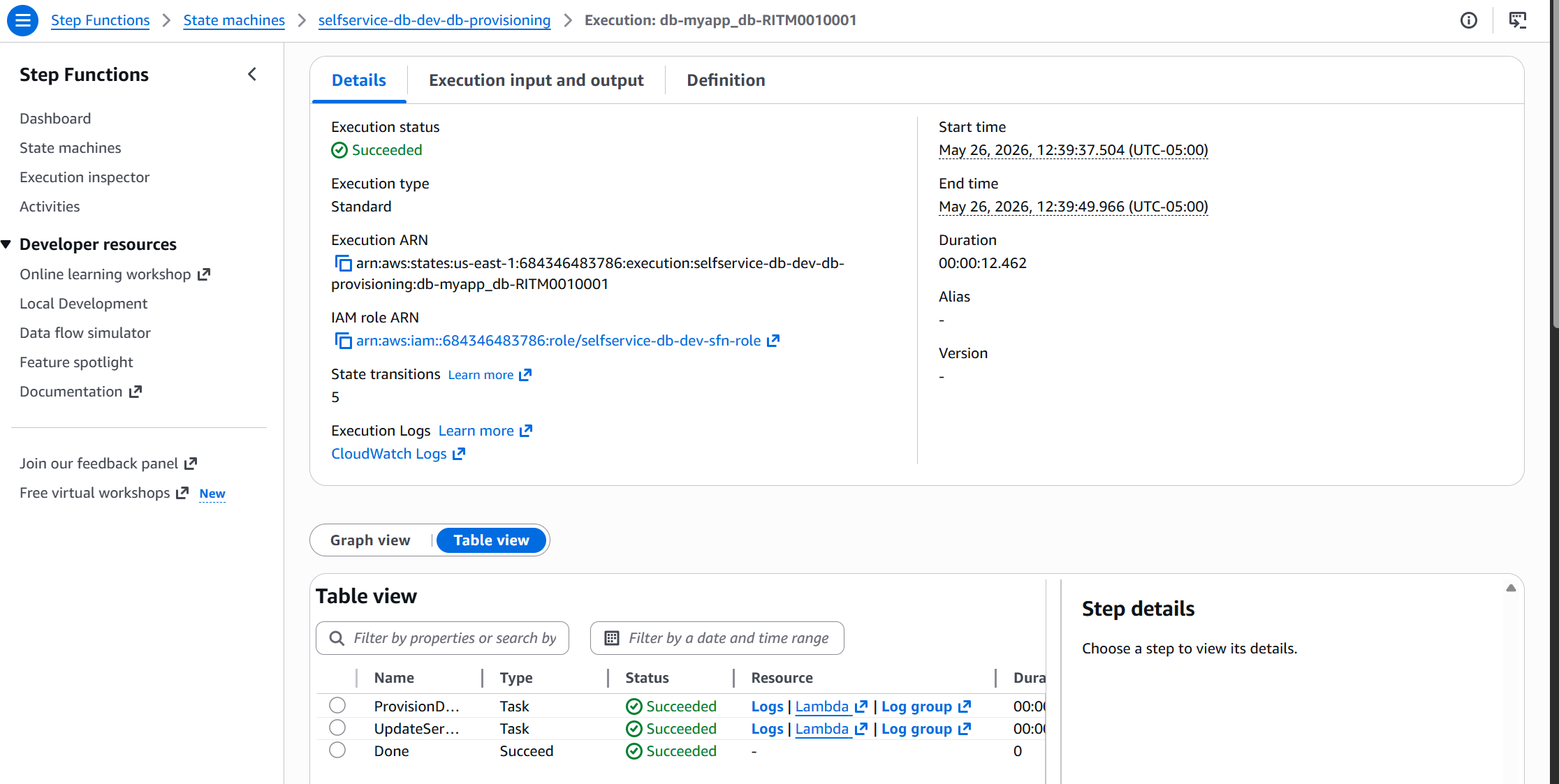
Step Functions — Both Executions Succeeded
Two successful executions visible in the console: db-myapp_db-RITM0010001 (12.4 seconds via curl) and db-jay_test-RITM0010012 (8.7 seconds via ServiceNow). Both Succeeded.
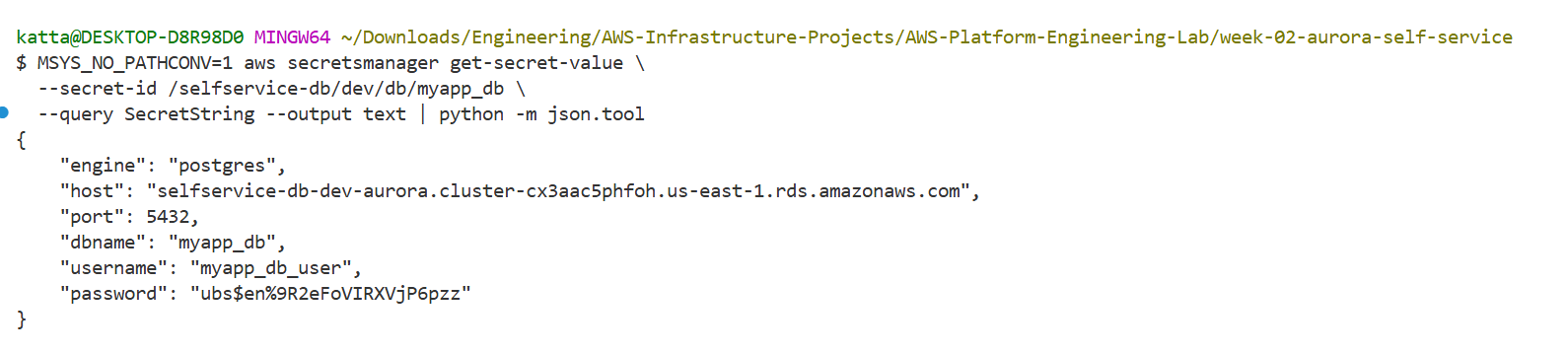
Credentials in Secrets Manager
Every provisioned database gets its own secret at /selfservice-db/dev/db/{db_name} — host, port, username, password, engine, dbname. The password is generated fresh by the provisioner Lambda, never stored in Terraform state.
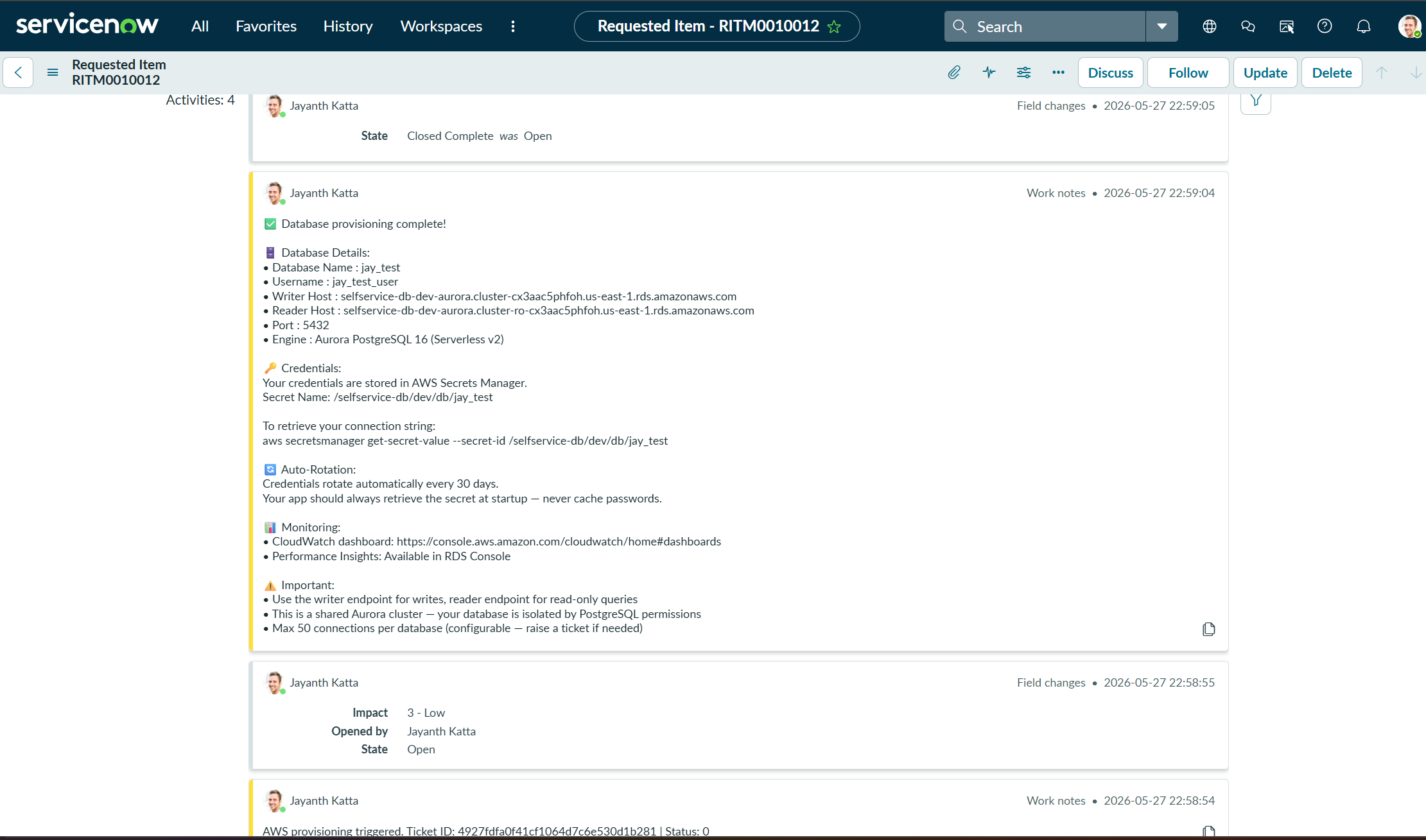
ServiceNow Ticket Closes Itself
The status_updater Lambda calls back to ServiceNow and closes the RITM with everything a developer needs — no email, no DBA, no waiting.
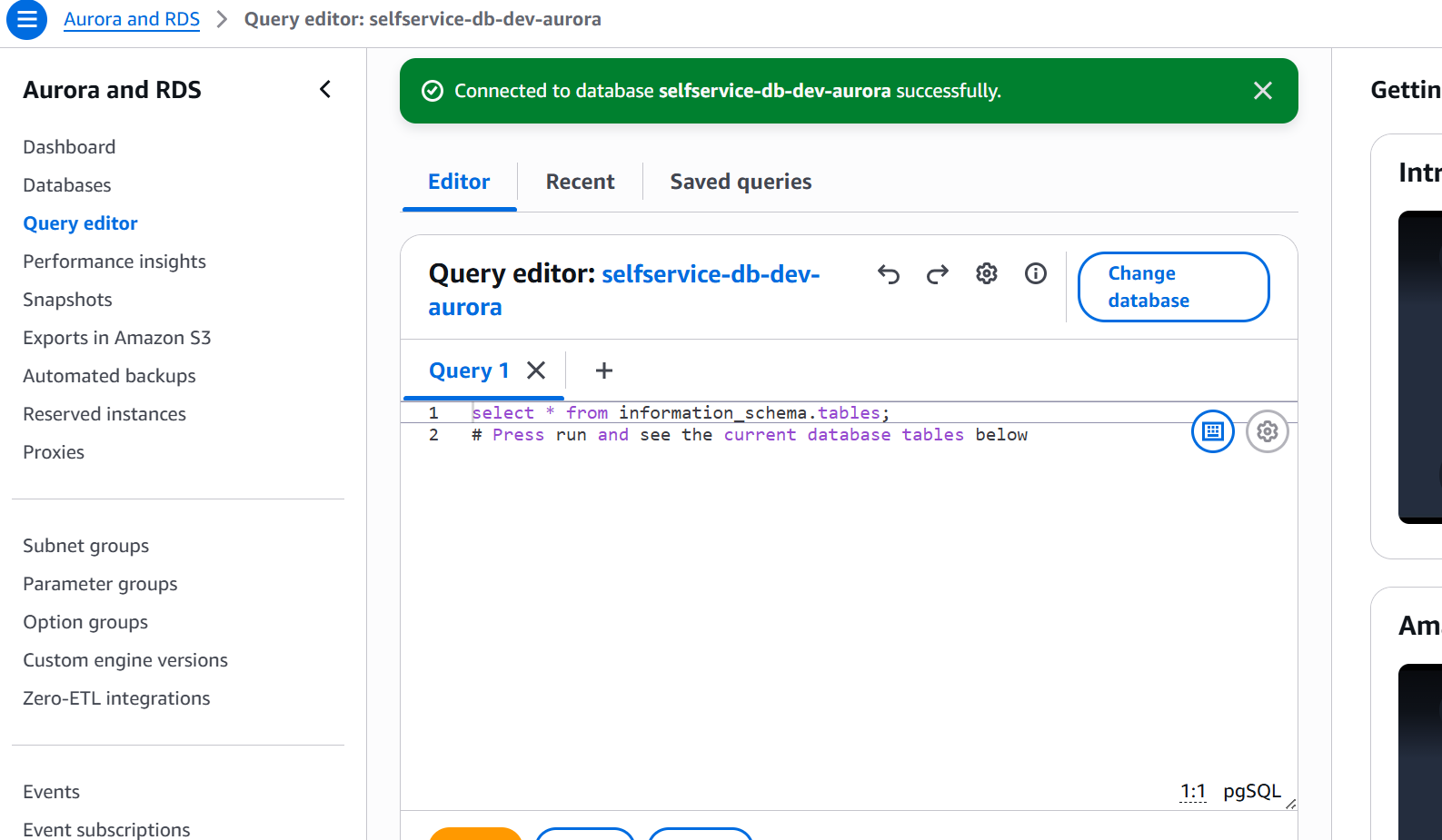
Verified in RDS Query Editor
Connected to Aurora via the RDS Query Editor (Data API). SELECT datname FROM pg_database confirms both tenant databases exist on the shared cluster — completely isolated by PostgreSQL user permissions.
Aurora Architecture Deep Dive
Aurora isn't just RDS with a new name. The storage and compute layers are completely decoupled — and that separation is what makes unlimited multi-tenancy work.
The key insight: In traditional PostgreSQL you'd spin up a new server per tenant. With Aurora Serverless v2, you just run CREATE DATABASE — instant, zero infrastructure cost per tenant. The shared storage pool automatically maintains 6 copies across 3 AZs. If a storage node fails, Aurora self-repairs without any downtime.
Multi-Tenant Isolation Model
| Concern | Approach | Why |
|---|---|---|
| Isolation | PostgreSQL database per tenant | Complete schema isolation — no cross-tenant queries possible |
| Credentials | Dedicated user per database | Credential compromise affects one tenant only |
| Secret storage | /selfservice-db/dev/db/{name} | Consistent path — easy for apps to discover at runtime |
| Rotation | 30-day auto-rotation per secret | Each tenant rotates independently — no shared rotation risk |
| Connections | 50 connections per tenant (configurable) | Prevents one tenant from exhausting the cluster connection pool |
| Scale | Aurora Serverless v2 auto-scales | No right-sizing needed — cluster adapts to combined tenant load |
Security Patterns Baked In
No public database access. Aurora lives in isolated database subnets with no internet route. The only inbound path is from the Lambda security group on port 5432.
Least-privilege IAM. Lambda roles are scoped to specific secret ARN prefixes. db_provisioner can't access secrets outside its namespace.
Zero-downtime secret rotation. 4-step protocol: createSecret → setSecret → testSecret → finishSecret. The old password stays valid until the new one is confirmed working. Apps never see a connection failure during rotation.
HMAC-signed webhooks. ServiceNow payloads are signed with a shared secret. The webhook_receiver validates the signature before starting any execution — spoofed requests are rejected.
OIDC for CI/CD. GitHub Actions uses OIDC federation — no long-lived AWS credentials stored anywhere. Role assumed per-run using short-lived STS tokens.
Bugs That Taught Me Things
Bug 1: Terraform Circular Dependency
Cause: Lambda needed the Step Functions state machine ARN. Step Functions needed the Lambda function ARNs. Classic circular dependency — no resolution possible by reference.
Fix: Compute the state machine ARN deterministically using the account ID:
locals {
  state_machine_arn = "arn:aws:states:${var.aws_region}:${data.aws_caller_identity.current.account_id}:stateMachine:${var.project}-${var.environment}-db-provisioning"
}Bug 2: Em-dash Rejected by AWS
Cause: Em-dash (—, U+2014) in AWS resource description fields. AWS only accepts ASCII characters.
— with - in all Terraform description fields.Bug 3: CloudWatch Dashboard Missing Region
Cause: Every CloudWatch dashboard widget requires an explicit region field in its properties block.
data "aws_region" "current" {}

# In every widget properties block:
region = data.aws_region.current.nameBug 4: autocommit Required for CREATE DATABASE
Cause: PostgreSQL won't execute CREATE DATABASE within a transaction — and pg8000 opens a transaction by default.
conn = pg8000.connect(...)
conn.autocommit = True   # Must be set BEFORE CREATE DATABASE
conn.run("CREATE DATABASE my_db")conn.autocommit = True before any DDL statement.Bug 5: Windows Path Mangling with AWS CLI
Cause: Git Bash on Windows converts paths starting with / to Windows paths. Breaks any AWS CLI command using secret or parameter paths.
# Wrong — inline form doesn't apply to variable assignments
MSYS_NO_PATHCONV=1 SECRET=$(aws secretsmanager ...)

# Correct — export first, then run
export MSYS_NO_PATHCONV=1
SECRET=$(aws secretsmanager get-secret-value --secret-id /selfservice-db/dev/db/myapp_db)export MSYS_NO_PATHCONV=1 as a separate command before AWS CLI calls with / paths.Cost Breakdown
| Resource | Cost/Month (Running) | Cost (Destroyed) |
|---|---|---|
| Aurora Serverless v2 (0.5 ACU minimum) | ~$43 | $0 |
| NAT Gateway | ~$32 | $0 |
| Lambda (minimal traffic) | ~$0 | $0 |
| Secrets Manager (per secret) | ~$0.40/secret | $0 |
| Total | ~$75/month | $0 |
sh scripts/cleanup.sh when you're done for the day — destroys everything in ~5 minutes. Run sh scripts/deploy.sh next session — rebuilds in ~10 minutes. You'll pay cents instead of $75/month.Key Takeaways
Database-per-tenant on a shared Aurora cluster is the right multi-tenancy model for most platforms. You get complete isolation at the PostgreSQL level, a dedicated user and secret per tenant, and independent rotation schedules — all without provisioning new infrastructure per customer.
Aurora's storage/compute separation is underrated. Reader replication is near-instant because both instances share the same storage pool. No network replication lag like traditional Postgres streaming replication.
Secrets Manager rotation with RotateImmediately=False. Always set this when enabling rotation programmatically. Immediate rotation on a brand-new database user will fail before the rotation Lambda has been tested against that specific credential.
14 years as a DBA taught me what the old process cost. Three-day turnaround for a database request isn't a staffing problem — it's an architecture problem. This week proved you can eliminate it entirely.
What's Next — Week 3
Two weeks in. The pattern is working: ServiceNow ticket → API Gateway → Lambda → Step Functions → AWS resource → ticket closed with details. Week 3 builds on this foundation with a more production-hardened pattern. Stay tuned.
All code available on GitHub: katta698/AWS-Platform-Engineering-Lab. Questions? Drop a comment below.